Malware
What Is a Botnet? Devices, Warning Signs and Safer Response
A botnet is a network of hijacked devices. Learn how attackers coordinate them, which warning signs need checking, and what to do if your router or computer may be involved.
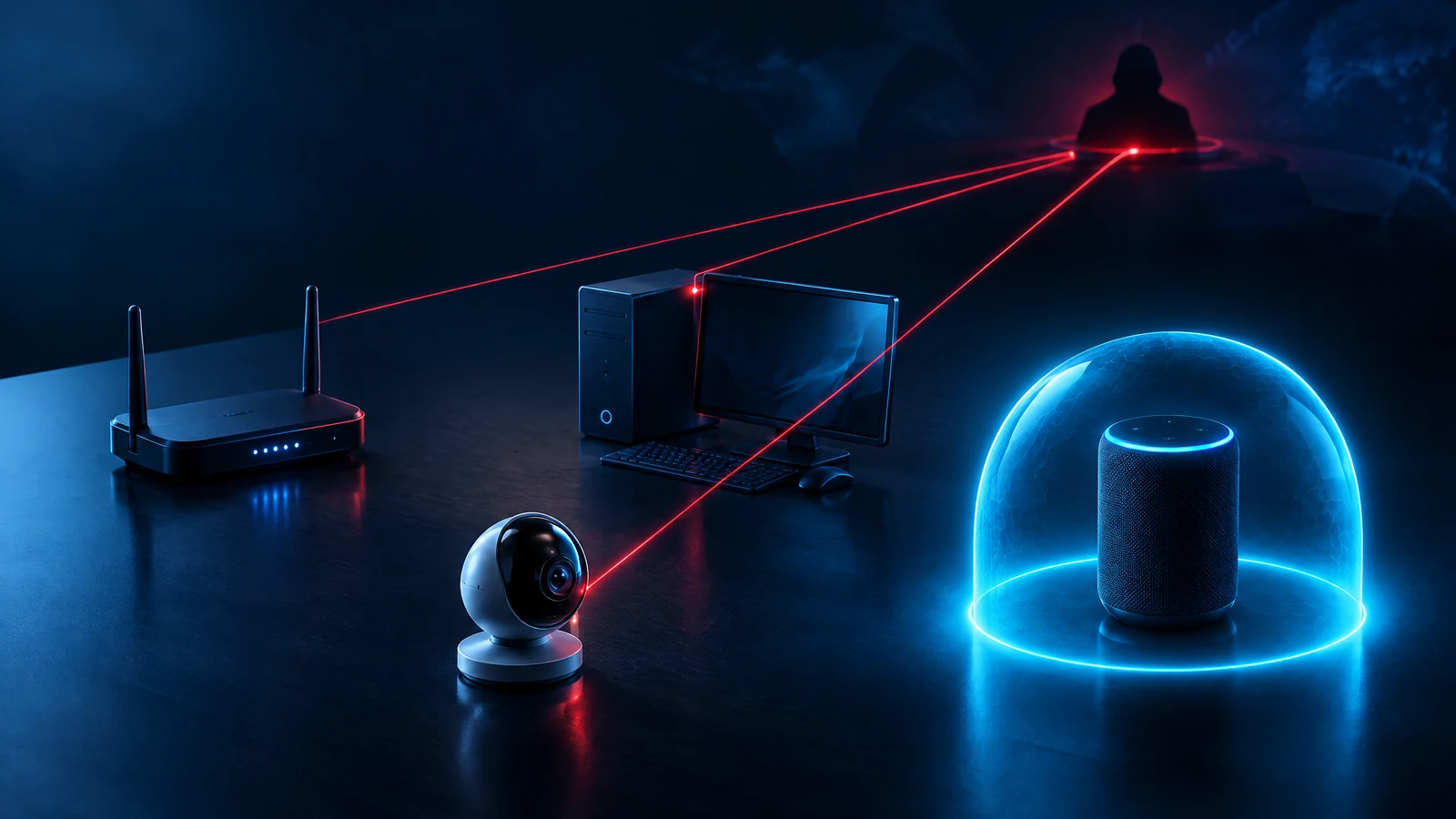
A botnet is a group of computers, routers or other internet-connected devices that someone controls without their owners' permission. Each compromised device is a bot; the coordinated group is the botnet. An attacker can direct the group to send unwanted traffic, distribute messages or perform other tasks. An odd-looking device or a slow connection alone doesn't prove yours is part of one.
What is a botnet in cybersecurity?
Picture a home router that seems to work normally. Its owner watches a film; an attacker has quietly gained control of the device and uses a slice of its connection to send traffic elsewhere. One router can't do much on its own. The important change is that the attacker can direct many devices together, often without their owners knowing. That coordinated network is a botnet. [Evidence: CERT-In Cyber Swachhta Kendra FAQ; NIST CSRC botnet glossary.]
“Bot” by itself isn't a warning word. A search-engine crawler or an automated customer-service helper can also be called a bot. Here the word means a compromised device taking unauthorized instructions. A botnet is the network of those devices, not a special brand of malware, an attack aimed at every reader, or proof that data has been stolen.
If you came here after receiving an ISP alert, the first useful question is not “How big was the botnet?” It is: What evidence points to which device on my connection, and what can I check without making matters worse? An IP-address warning may be a useful lead. It may still leave the actual device unidentified, especially if several devices share one home connection.
How does a botnet work?
There are four parts to understand, though a real case may not follow the same tidy sequence:
The botnet operator is often called a bot herder. The owner of an infected camera, router or PC is not necessarily the person behind the attack. That distinction matters both for how we investigate a warning and for how we speak about a potentially affected person. [Evidence: CERT-In FAQ; Hong Kong CERT botnet overview.]
- Access: An attacker compromises a computer, server or connected device. The route varies: malicious software, an exposed service, an out-of-date device or a weak/default login may be involved. Don't assume which happened in a specific household.
- Instructions: Malicious software on the device can communicate with attacker-controlled infrastructure. This is often called command and control or C2. Some networks relay instructions in other ways. A single unfamiliar network connection is not sufficient to identify C2.
- Coordination: Instructions can cause multiple compromised devices to act around the same time. Each device contributes only some computing power or bandwidth; the attacker benefits from the group.
- Outcome: The group may disrupt a service by sending traffic, send spam, or perform another malicious task. What this botnet did must be established from evidence; the label alone does not prove credential theft or a DDoS attack.
Bot, botnet, malware and DDoS: which is which?
A bot is one compromised device under unauthorized control. A botnet is the coordinated group. Malware is harmful software that may be used to compromise a device or give the operator instructions; not every piece of malware is a bot. A DDoS attack is an attempt to disrupt a service with traffic from multiple sources; a botnet is one possible way to produce that traffic. These words describe different parts of a problem.
The difference from a Trojan horse is useful too. A Trojan describes software that appears legitimate while concealing an unauthorized or harmful function. If that software joins a device to a remotely controlled network, “Trojan” describes its disguise and “botnet” describes the coordination. The two terms aren't synonyms. Our existing Trojan horse malware guide owns the disguised-installer question; this page owns the network question.
What can a botnet do—and what can't you infer?
The documented historical Mirai botnet used compromised internet-connected devices in disruptive DDoS attacks. CISA's archived advisory is from 2016, with later revisions; it illustrates the mechanism, not the number of infected devices today or a current attack on your network. You can read the site's separate Mirai history account for that dated event. [Evidence: CISA archived Mirai advisory.]
CERT-In's Cyber Swachhta Kendra lists other possible bot activities, including distributing unwanted messages, fetching additional malware and obtaining information from an affected device. Those are possible behaviors, not a checklist of things that happened on every device. If a scanner says “bot,” ask what file or behavior it detected and which account or device was involved. If a service reports denial of service, don't assume the source was your connection without logs that support it.
There is also a business-side distinction. The existing Carbonato Docker API analysis covers an exposed container-management environment and the response to that specific scenario. A home router owner should not run Docker containment steps on a laptop just because both cases mention botnets.
Is my router or computer part of a botnet?
A slower connection, a warm camera, an unknown item in a connected-device list, unusual outbound traffic or a notification from your internet provider can justify a check. None is a stand-alone diagnosis. Uploads may come from a legitimate backup; an unfamiliar device name may be your own television. Cyber Swachhta Kendra advises investigating unusual communication and data use with suitable security tools, rather than treating the symptom as proof. [Evidence: CERT-In FAQ.]
Suppose you receive a message saying activity from your home internet connection resembles a bot. Start by verifying the message through the provider's known account portal or existing support number, not by entering your router password into a link in the message. The public IP address may be shared by several devices behind your router; the alert might not name the device. Note the date, time and any provider reference. Then check the router's connected-device list through its normal administrative interface. Identify what belongs to your home; if anything is unfamiliar, consult the provider or manufacturer before changing settings you don't understand.
On a managed work device, don't erase logs, perform your own factory reset or forward a sample to another person. Give the organization's security team the alert, device identifier and timing through its approved reporting route. Their endpoint, DNS and network records can help connect a symptom with actual activity. An analyst still needs to distinguish connection attempt, blocked instruction, malware detection and confirmed harmful action.
I received an ISP botnet notice in India. What should I do first?
India's Cyber Swachhta Kendra says it is operated by CERT-In and works with internet providers to notify end users when investigations associate a public IP address with suspected bot activity. Its FAQ says that the IP-based signal is a suspicion; it does not mean the centre scans your private files or identifies every device in your home. That's a better starting point than a social-media claim that an ISP alert proves your laptop has been hacked. [Evidence: Cyber Swachhta Kendra FAQ, questions 1–3 and 14–17.]
Treat the notice seriously while checking it safely:
The centre's FAQ describes security tools and scanning, but CYBERoinfo does not host a scanner, diagnose your device or send you to a vendor purchase page. The official Indian source is cited by label here for context; public navigation stays on this site.
- Verify the sender independently. Use a known provider account or contact channel. Don't install a tool offered by an unexpected message or hand over a remote-access code.
- Record the details. Save the reference, date, time and public-IP information without posting your account or network information publicly.
- Inventory your devices. Look at the router's familiar connected-device list and check whether a camera, recorder, old phone, PC or other device has a relevant alert. A normal-looking device can still need checking, and an odd label can be harmless.
- Follow appropriate recovery guidance. A supported computer can use current, reputable security software and its vendor's directions. Router and camera recovery depends on the particular model and firmware; get guidance from its provider or qualified support. A workplace device goes to the work security team.
What is the safest way to respond to a suspected bot?
Start with the least destructive action that reduces risk and preserves useful evidence. If a device is clearly behaving suspiciously, or a trusted responder tells you to isolate it, disconnect that device from the network while you seek support. For a work system, let the authorized team choose the isolation and evidence sequence. Don't test suspicious programs to see what they do, and don't attempt to take down an alleged command server.
For a home computer, run an up-to-date trusted security check using its normal operating-system or security-provider path, then follow device-specific recovery advice. If an account may have been affected, review its sessions and change its password from a known-clean device when appropriate. For a router or camera, check the vendor's supported firmware, replace default administrator credentials and disable remote-management features you don't use. The FTC's home-IoT advice supports these general prevention choices; it is U.S. consumer guidance, not an Indian reporting law. [Evidence: FTC connected-device guidance; CERT-In FAQ.]
A reboot is not a universal cure. CISA's archived advisory described rebooting a particular memory-resident 2016 Mirai sample while disconnected, then changing default credentials before reconnection. Other malware can survive a reboot, and an unchanged weakness can invite reinfection. Likewise, a single clean scan can't establish that no unauthorized access happened earlier. If the warning continues, get qualified help and preserve the notes and alerts you already have.
How can I reduce the chance of another infection?
Pick actions you can actually maintain. Change default administrator credentials on connected devices, keep firmware and software updated from trusted sources, retire unsupported devices you no longer use and switch off unnecessary remote-management features. Make a list of the routers, cameras and appliances you rely on so you know which ones can still receive security updates. FTC guidance says to check connected-device inventory and apply these measures per device; one Wi-Fi password change is not a substitute for securing a router's own administrator account. [Evidence: FTC connected-device guidance; NIST consumer IoT program.]
For a small organization, assign ownership for internet-connected devices, make sure someone receives provider/security notices, and document how a suspicious device is isolated without deleting evidence. If you operate externally reachable infrastructure, review it under the relevant technical guide rather than treating every botnet warning as an identical household problem. These measures lower exposure; they do not guarantee you will never see bot traffic.
Common questions about botnets
Can a smart camera be part of a botnet even if the video works? Yes. A device can still perform its normal function while unauthorized software or access produces separate network activity. Working video is not proof of a clean device; neither is a slow feed proof of infection. Confirm using supported device, router and provider evidence. [Evidence: FTC IoT guidance; HKCERT botnet overview.]
Is every botnet a DDoS attack? No. A DDoS attack is one possible use. A botnet is the coordinated network of compromised devices, regardless of what a particular operator instructs it to do. Don't infer a DDoS campaign from an isolated malware warning. [Evidence: CERT-In FAQ; CISA archived Mirai advisory as a specific historical case.]
Does my ISP's message tell me which device is infected? Usually it identifies a suspicious public IP address and time, not necessarily one device inside your network. Check the provider's exact wording and evidence; several devices may share that connection. Verify the message independently before acting on any included link. [Evidence: Cyber Swachhta Kendra FAQ.]
Will factory-resetting my router always remove a botnet? No universal promise is possible. Recovery varies by product, infection, current firmware and the source of access. A reset may also erase useful logs and settings, and a device may be reinfected if the original weakness remains. Ask a trusted provider or device maker for the model-specific sequence, especially for managed equipment. [Evidence: CISA's sample-specific Mirai discussion; FTC device-security guidance.]
What's my first step if this is a work laptop? Report it promptly through the organization's established IT/security channel, including what you observed and when. Don't independently wipe or share the device's files. Investigation is a coordinated process, not a guess based on one symptom.
Decision checklist
- Separate a general symptom, a suspicious alert and confirmed device evidence.
- Verify any ISP notice through an independently known provider channel.
- Record the time, device inventory and relevant alerts without publishing private credentials or logs.
- Isolate a suspect device when appropriate and use the organization's response process for managed equipment.
- Check software, firmware, account sessions and unnecessary remote-management access with trusted support.
- Recheck for repeated notices or unusual behavior after recovery; escalate persistent cases to qualified help.
Limitations
- A public-IP-based notice is a lead, not identification of one infected device behind a shared router.
- Slowness or unusual traffic alone does not prove botnet membership; device and network evidence are needed.
- The CISA Mirai advisory is archived 2016 material and its reboot advice applied to a specific memory-resident sample, not every infection.
- FTC advice is U.S. consumer guidance rather than an Indian legal or reporting requirement.
- No reader device was examined; no current Indian infection count, verified breach, guaranteed cleanup or search-ranking outcome is claimed.
Evidence sources
- Indian Computer Emergency Response Team (CERT-In) — Cyber Swachhta Kendra — Frequently Asked Questions
- NIST Computer Security Resource Center — Botnet — glossary entry
- Hong Kong CERT Coordination Center — Botnet Detection and Cleanup
- U.S. Federal Trade Commission — Securing Your Internet-Connected Devices at Home
- Cybersecurity and Infrastructure Security Agency (CISA) — Heightened DDoS Threat Posed by Mirai and Other Botnets (archived)
- National Institute of Standards and Technology (NIST) — Consumer IoT Cybersecurity