Cybersecurity Tools
Cybersecurity Tools: A Defensive Guide to Tool Categories and Evaluation
A plain-language guide to cybersecurity tools, including asset inventory, vulnerability scanning, patch management, firewalls, endpoint security, SIEM, SOAR, threat intelligence, and evaluation criteria.
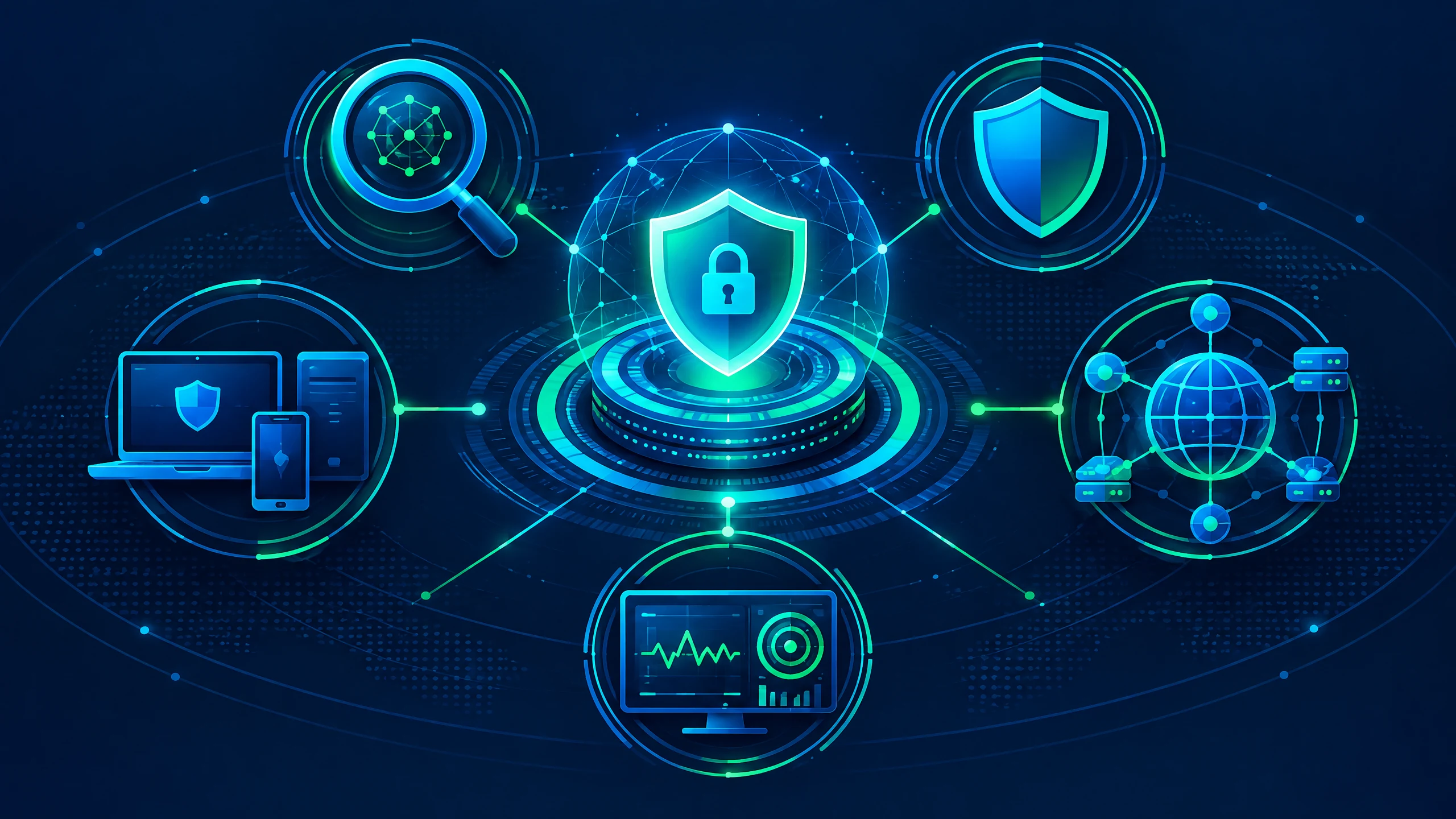
Cybersecurity tools** are easier to choose when they are grouped by the defensive problem they solve, rather than by vendor name. A useful starting point is to ask what needs to be seen, which risk needs to be reduced, what workflow will respond, and how the result will be checked. This guide explains the main tool categories in plain language without treating any product as universally suitable. The research behind this guide describes a broad defensive toolkit: asset discovery and inventory, vulnerability scanning and reporting, configuration management, software updates, network policy enforcement, endpoint and mobile security, security monitoring, and threat-intelligence processes. NIST’s Cybersecurity Framework 2.0 for Small Business frames cybersecurity as a way to manage and reduce risk through standards, guidelines, and practices, which is a better starting point than buying tools in isolation. The examples here are category explanations, not a ranking or endorsement. CISA says its catalogue of no-cost cybersecurity services and tools is not comprehensive and does not attest to suitability or effectiveness. Product capabilities, integrations, pricing, support, and advisories change, so any shortlist should be checked against current documentation and the organisation’s own requirements. > **Key Takeaways > - Start with the defensive function: know assets, find weaknesses, reduce exposure, protect endpoints and networks, and coordinate response. > - Asset visibility and remediation workflow matter as much as detection features; a tool that produces findings without ownership or follow-through leaves risk unresolved. > - NIST provides a risk-management structure, while CERT-In’s government guidance gives India-specific control examples that should not automatically be generalized to every organisation. > - Compare what a tool can see, how it handles data, how it integrates, how alerts are validated, and how the organisation can exit or replace it.
Asset Inventory and Vulnerability Scanning Tools
Asset inventory tools answer a foundational question: what devices, systems, applications, and services exist in the environment, and which of them are in scope? Vulnerability scanning tools then assess selected assets for weaknesses and produce findings that can be reviewed and prioritized. Without reliable asset visibility, a scan can be incomplete even when its individual results look precise.
NIST’s NCCoE practice guide demonstrates capabilities across asset discovery and inventory, vulnerability scanning and reporting, configuration management, software updates, network policy enforcement, endpoint and mobile security, source-code scanning, and firmware assessment. The guide includes named technologies as examples of an architecture; it is not a universal product ranking. That distinction matters when translating a reference design into a real deployment.
When comparing these categories, ask what the tool can actually see: network-connected assets, authenticated hosts, cloud resources, mobile devices, applications, source code, firmware, or only a defined subset. Also ask how it identifies an asset, how often discovery occurs, how findings are deduplicated, and how reports distinguish an observation from a recommended action. These are evaluation questions, not assumptions about any particular vendor.
For Indian government organisations, CERT-In’s Guidelines on Information Security Practices for Government Entities call for regular vulnerability assessment using host- or network-based scanning tools, prioritization of remediation, and related operational practices. The cited guidance applies to government entities; private organisations and regulated sectors should verify their own applicable requirements before treating it as a direct compliance rule.
Patch Management and Configuration Management Tools
Patch management tools help organisations plan, distribute, track, and verify software updates; configuration management tools help maintain intended settings and identify drift. Together, they turn a vulnerability finding into an operational workflow. The central question is not simply whether an update can be deployed, but whether the organisation can identify affected assets, assign responsibility, handle exceptions, and confirm the result.
The NIST NCCoE patching practice guide presents software updates and configuration management as connected capabilities within an example enterprise architecture. That supports a practical evaluation principle: a scanner, a patching system, and a configuration process should exchange enough information to avoid repeated manual work and unclear ownership. The exact integration design will depend on the environment and the technologies already in use.
A useful review asks whether the tool supports inventory-aware targeting, maintenance windows, testing, rollback or recovery procedures, exception records, status reporting, and evidence that the intended change reached the intended asset. It should also be clear how unsupported systems, special-purpose devices, remote endpoints, and systems with operational constraints are handled. For connected environments, CYBERoinfo’s [software supply-chain security explainer](https://cyberoinfo.com/cybersecurity/software-supply-chain.md) provides related context. Do not infer these capabilities from a product category name; verify them in current documentation and a controlled evaluation.
CERT-In’s government-entity guidance calls for current patches and virus signatures and for patch-management processes. Those statements provide a defensive baseline for the scope described by that document, while sector-specific organisations must separately check the rules and practices that apply to them. Patch management is therefore both a technical function and a governance workflow.
Network Firewall and IPS Tools
Network firewall and intrusion prevention system (IPS) tools help enforce network policy and inspect traffic against configured rules or detection logic. Their value depends on having a clear policy, an understandable traffic boundary, and a process for reviewing changes and alerts. A firewall or IPS is not a complete security program and should not be described as one.
NIST’s practice guide includes network policy enforcement among the demonstrated capabilities, and CERT-In’s government guidance describes perimeter protection such as firewalls and IPS. These sources support treating network controls as one layer in a broader defense-in-depth design. They do not establish that a named product, a particular rule set, or a particular architecture is suitable for every organisation.
During evaluation, document the traffic the control can observe, the locations where it will be deployed, how rules are requested and approved, how changes are logged, and how false positives or blocked business traffic are handled. Review how it integrates with identity, endpoint, asset, and monitoring systems. Also define what happens when encrypted traffic, remote access, cloud services, or third-party connections limit visibility.
A good operating model keeps the policy understandable and reviewable. It records why a rule exists, who owns it, when it was last reviewed, and what evidence would justify changing or removing it. That approach helps prevent a protective control from becoming an unmanaged collection of exceptions.
Endpoint, Mobile, SIEM, and SOAR Tools
Endpoint and mobile security tools protect or monitor devices where users, applications, and data operate. SIEM tools bring together security-relevant events for analysis and reporting, while SOAR tools help coordinate repeatable actions across security workflows. These categories overlap in practice, but they answer different operational questions: what is happening on a device, what does a set of events mean, and what response steps can be coordinated?
NIST’s NCCoE practice guide explicitly demonstrates endpoint and mobile security alongside asset discovery, scanning, updates, and policy enforcement. Google Cloud’s Cybersecurity Forecast 2026 expects an “Agentic SOC” in which AI assists alert analysis, threat hunting, and SOAR containment subject to human validation. That is forward-looking commentary, not a count of observed incidents or a guarantee that automated response will be safe in every environment.
Evaluation should start with visibility and workflow. Ask which endpoint types are supported, what telemetry is collected, how long it is retained, what data leaves the environment, how alerts are prioritized, and how analysts investigate an event. For SIEM and SOAR, also examine connector coverage, playbook approvals, audit trails, rollback or stop controls, and the points where a human must validate an action.
The quality of a security operations tool is not captured by alert volume. A useful deployment defines who triages, who approves containment, how benign activity is recorded, how detections are tuned, and how lessons flow back into patching, identity, network, and asset-management work. For a related control boundary, see CYBERoinfo’s [zero-day vulnerabilities guide](https://cyberoinfo.com/vulnerabilities/zero-day-vulnerabilities.md). The operational design should be tested before broad automation is trusted.
Threat-Intelligence Tools and Security Data Handling
Threat-intelligence tools and processes help organisations collect, normalize, evaluate, and distribute information that may inform defensive decisions. CERT-In’s government-entity guidance describes threat-intelligence ingestion through standard processes such as STIX/TAXII. That is a process and exchange example, not proof that every organisation needs the same platform or feed.
A threat-intelligence capability should make its purpose explicit. It might support detection engineering, investigation, vulnerability prioritization, incident coordination, or executive reporting. Ask what the source represents, how confidence and freshness are communicated, how duplicates are handled, and how an analyst can tell whether a piece of information is relevant to the organisation’s own assets and exposure.
Data handling is equally important. Review collection boundaries, retention, access controls, export options, customer or employee information, cross-border processing, and the conditions for deleting or retrieving data. For Indian organisations, local support, data residency, sector obligations, and incident-reporting workflows may require verification rather than assumption. Security and privacy decisions should be documented together.
The same care applies to AI-assisted features. Google Cloud’s 2026 forecast anticipates more AI-enabled social engineering, prompt-injection attacks, and greater use of AI agents. These are expectations from a forecast. If an organisation uses AI in a security workflow, it should define permitted inputs, validation steps, logging, escalation, and a safe path when the model is uncertain.
How to Choose Cybersecurity Tools Without Overbuying
The best way to choose cybersecurity tools is to write the operational requirement before comparing products. Define the assets and users in scope, the risk or control objective, the required visibility, the response owner, the evidence needed, and the constraints that cannot be ignored. This produces a defensible shortlist and reduces the temptation to equate a long feature list with fit.
Use a category-first checklist: coverage, deployment prerequisites, integrations, data handling, alert quality, remediation workflow, reporting, support, licensing, accessibility of skilled operators, and exit criteria. Then test representative workflows with realistic but controlled data. A tool that is difficult to operate, cannot connect to existing systems, or produces findings no one can remediate may create more administrative burden without closing the intended gap.
For small and midsize businesses, the practical decision may be a combination of tools, a managed service, or a staged rollout rather than a large platform purchase. For Indian public-sector and regulated readers, map the proposed controls to the applicable requirements and verify whether local support, data location, retention, audit evidence, and reporting processes are necessary. CYBERoinfo’s [India cybersecurity guide](https://cyberoinfo.com/cybersecurity/india-cybersecurity.md) provides related context, while the [phishing-resistant MFA explainer](https://cyberoinfo.com/cybersecurity/phishing-resistant-mfa.md) covers a specific identity-defense layer.
Before approval, document what success means, who owns each workflow, how exceptions are reviewed, and when the evaluation will be repeated. Set a last-reviewed date for every item in a maintained cybersecurity tools list. CISA warns that its own catalogue is not comprehensive and that provider information can change; the same maintenance principle applies to an internal shortlist.
FAQ: Cybersecurity Tools and Defensive Tool Explainers
What are the main categories of cybersecurity tools?** The main categories covered here are asset inventory, vulnerability scanning, patch and configuration management, network firewall and IPS controls, endpoint and mobile security, SIEM and SOAR, and threat intelligence. The categories are functional: they describe a defensive job rather than endorsing a product.
Do small businesses need every category?** Not necessarily. The appropriate mix depends on the assets, risks, staff, service providers, and applicable requirements. NIST’s Small Business Cybersecurity Corner presents the Cybersecurity Framework 2.0 as a way to manage and reduce risk; that risk-based approach is more useful than assuming that every organisation needs the same stack.
Are CISA’s no-cost tools automatically suitable?** No. CISA says its catalogue is not comprehensive and does not attest to suitability or effectiveness or endorse commercial products. Use it as a discovery resource, then verify capability, scope, data handling, support, and fit in the environment being protected.
Does CERT-In’s government guidance apply to every Indian business?** The research source identifies the cited document as guidance for Indian government entities. Organisations outside that scope should check the rules and sector requirements that apply to them instead of treating the document as a universal legal checklist.
Should AI-assisted security actions be fully automated?** The research does not support a universal answer. Google Cloud’s Cybersecurity Forecast 2026 describes an expected role for AI assistance in alert analysis, threat hunting, and SOAR containment subject to human validation. Any organisation considering automation should define validation, logging, approval, and safe-stop controls before relying on it.
CONCLUSION
Cybersecurity tools work best when each tool has a clear defensive function, a defined owner, reliable data, and a workflow that turns observations into action. Start with asset visibility, connect scanning to patching and configuration management, apply network and endpoint controls where they fit, and design monitoring, orchestration, and threat-intelligence processes around human accountability.
The evidence supports a careful, maintained approach: use NIST for risk-management structure, consult CISA as a non-exhaustive discovery catalogue, and use CERT-In’s government guidance only within its stated scope unless separate requirements have been verified. Review tool capabilities, data handling, integrations, alert quality, support, and exit criteria before deployment—and review them again as the environment changes.
### META TAGS
### Sources
1. Google Trends, “cybersecurity tools, India, past 12 months”:
2. CISA, “No-Cost Cybersecurity Services and Tools”:
3. NIST, “Cybersecurity Framework 2.0 for Small Business”:
4. NIST NCCoE, “SP 1800-31 Volume B: Improving Enterprise Patching”:
5. CERT-In, “Guidelines on Information Security Practices for Government Entities”:
6. Google Cloud, “Cybersecurity Forecast 2026”:
- **Meta title:** Cybersecurity Tools: Defensive Categories and Evaluation Guide
- **Meta description:** Understand cybersecurity tools by defensive function, from asset inventory and vulnerability scanning to patching, firewalls, endpoints, SIEM, SOAR, and threat intelligence.
- **Canonical URL:** https://cyberoinfo.com/cybersecurity-tools/cybersecurity-tools
- **OG title:** Cybersecurity Tools: A Practical Defensive Guide
- **OG description:** A plain-language guide to choosing and evaluating cybersecurity tools without treating products as universal solutions.
- **Image alt text:** Text-free illustration of layered cybersecurity tools protecting assets, networks, endpoints, and cloud systems.
- **Schema type:** Article
- **Suggested slug:** cybersecurity-tools/cybersecurity-tools
Decision checklist
- **Meta title:** Cybersecurity Tools: Defensive Categories and Evaluation Guide
- **Meta description:** Understand cybersecurity tools by defensive function, from asset inventory and vulnerability scanning to patching, firewalls, endpoints, SIEM, SOAR, and threat intelligence.
- **Canonical URL:** https://cyberoinfo.com/cybersecurity-tools/cybersecurity-tools
- **OG title:** Cybersecurity Tools: A Practical Defensive Guide
- **OG description:** A plain-language guide to choosing and evaluating cybersecurity tools without treating products as universal solutions.
- **Image alt text:** Text-free illustration of layered cybersecurity tools protecting assets, networks, endpoints, and cloud systems.
- **Schema type:** Article
- **Suggested slug:** cybersecurity-tools/cybersecurity-tools
Limitations
- Evidence and guidance can change; verify current advisories and organisational applicability before acting.
Evidence sources
- trends.google.com — Google Trends: cybersecurity tools, India, past 12 months
- cisa.gov — CISA No-Cost Cybersecurity Services and Tools
- nist.gov — NIST Cybersecurity Framework 2.0 for Small Business
- nccoe.nist.gov — NIST NCCoE SP 1800-31 Volume B: Improving Enterprise Patching
- cert-in.org.in — CERT-In Guidelines on Information Security Practices for Government Entities
- services.google.com — Google Cloud Cybersecurity Forecast 2026